
If you've been doing medical billing for your pharmacy for any amount of time, you know the frustration. A claim comes back paid less than expected, and you're left piecing together whether that's a payer error, a contract nuance you missed, or just the way things have always been. The answer is probably buried in a spreadsheet somewhere, or in a folder of PDFs, or in the institutional memory of whoever set up your billing workflow in the first place.
Here's the thing: pharmacists are doing incredible clinical work. Vaccines, MTM, chronic disease management — real, measurable patient care. And they deserve to get paid every dollar they've earned for it. That means having the infrastructure to actually know what you're owed, not just hope the numbers come out right.
That's exactly why we built the Payer Management panel, and honestly? We're pretty excited about this one. 🎯
One home base for your payer relationships
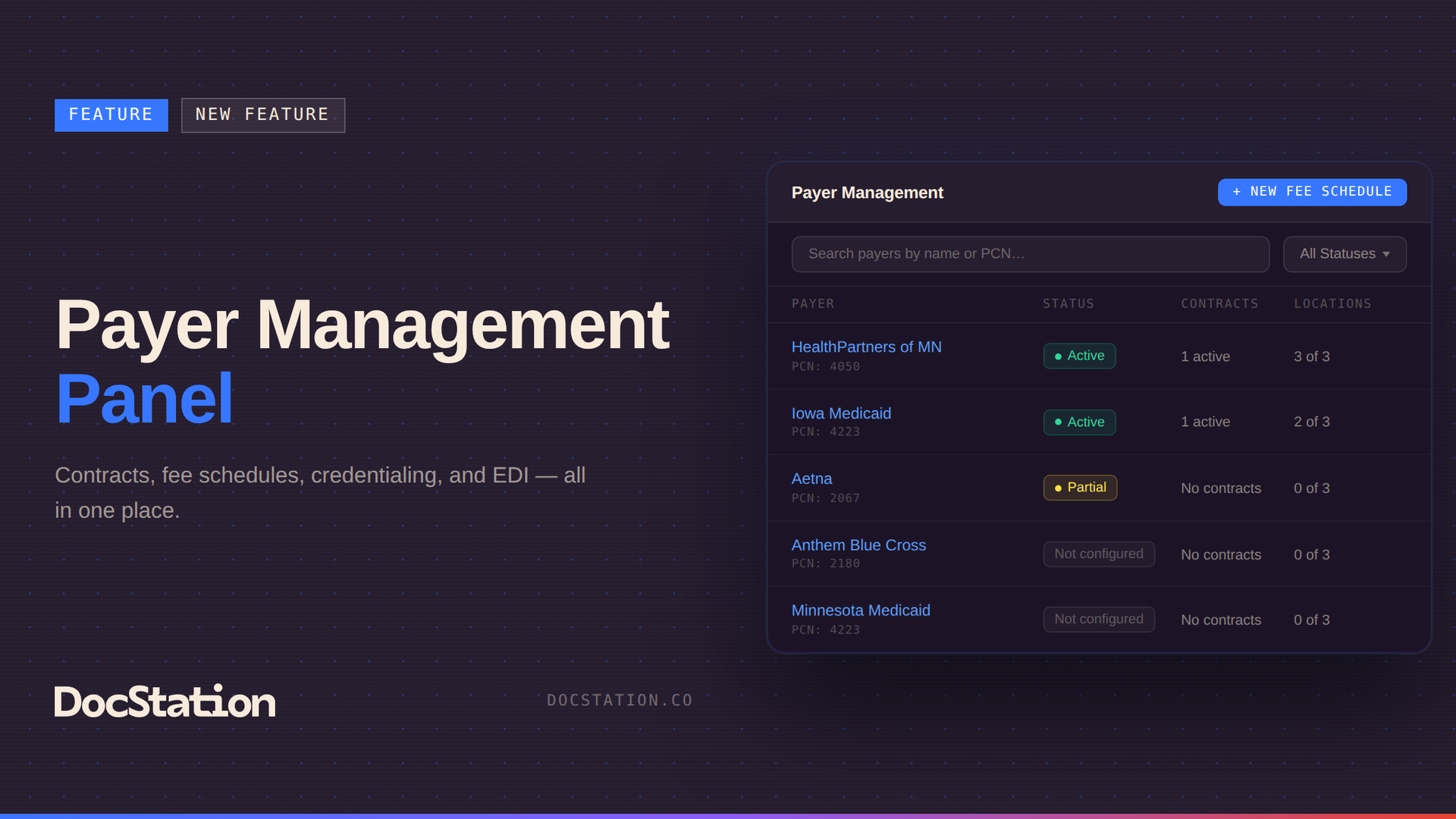
Payer Management lives in Organization Settings and pulls together every payer DocStation has an active EDI enrollment for. Contract status, credentialed location count, enrollment details — all visible from one list without jumping between settings screens or clearinghouse portals.
Click into any payer and you'll find four tabs: Overview, Contracts, Credentialing, and EDI. Each one handles a distinct piece of your relationship with that payer, and together they paint a picture that used to take a lot of digging to assemble.
Contracts and fee schedules that match your actual agreements
The Contracts tab is where you tell DocStation what you expect to get paid. You can set up multiple contracts per payer, each with its own effective period and location assignments. If your Iowa locations have a different agreement than your Minnesota ones, you configure them separately and assign them accordingly.
Inside each contract, you define your fee schedule — expected reimbursements, billed amounts, and patient copays for each CPT or HCPCS code. Add rates manually, import a CSV if your full schedule is already built, or export what's there when you need to make updates. When a BIN-billed claim comes in, DocStation works through your active contracts in priority order and finds the right match. You control that priority with a simple drag-and-drop. If nothing matches, the system falls back to a default fee schedule — or reflects the originally billed amount, which is what happens today without any configuration.
The default fee schedule option is also great for uninsured or cash-pay patients. No scrambling to figure out what to charge.
Credentialing you can actually track
The Credentialing tab is one of those features that feels simple until you realize how much time you've spent chasing it down in other ways. You can log credentialing status per location and payer, set expiration dates, and see at a glance what's active, what's expiring, and what needs attention. For organizations growing into new payer networks or managing multiple locations, this kind of visibility in the same place where you manage your contracts is genuinely useful.
EDI clarity, right where you need it
The EDI tab gives you a read-only snapshot of what each payer supports from a transaction standpoint — Eligibility, Claim Submission, ERAs, and Claim Status — plus how many active enrollments you have and which clearinghouses are connected. Anything still pending shows up here, and you can jump directly to EDI Enrollments to take action.
It's especially handy when you're setting up a new payer relationship and want to know what you're working with before you start submitting claims.
Available to all DocStation subscribers
Payer Management is available on every DocStation plan. Essentials subscribers can configure up to three fee schedules. Base and above have no limit.
We've heard from so many pharmacies that this kind of financial visibility has been missing — a way to answer "what should this claim be worth?" with something more reliable than a gut check. This is DocStation's commitment to building tools that support your entire clinical business, not just the moment a claim gets created. From the contract that sets expectations, to the submission that captures revenue, to the remittance that closes the loop — it should all live in one place.
Head to Organization Settings and look for Payer Management in the left nav to get started. And as always, if you want a walkthrough or have questions about configuration, our team is in the chat anytime.